
Most fulfillment teams do not wake up one morning and decide to replace their order systems. The shift happens gradually, often without a clear moment when everything breaks.
A new sales channel comes online. A second warehouse begins shipping orders. Customer questions take a little longer to answer because updates live in different places. None of this feels urgent on its own, so teams adjust as they go. Notes get passed around. Spreadsheets fill the gaps. People learn where to look for answers.
Over time, those workarounds start to show strain. Simple questions take longer to resolve. Small mistakes appear more often. The tools that once felt manageable begin pulling in different directions, and the effort required to keep everything aligned quietly increases.
That is usually when order management systems enter the conversation.
What an order management system does
An order management system, or OMS, coordinates how orders move from purchase to delivery. It sits between where orders are created and where they are fulfilled, making sure each order follows the right path without manual intervention.
In many operations, order management lives inside a larger system. It may be part of an ERP, embedded within a warehouse management system, or included as part of a shipping platform. Regardless of where it lives, its role remains consistent. It organizes intake from every sales channel, applies routing and validation logic, and keeps order status aligned as work progresses.
A well-designed OMS creates a shared workflow across teams and tools. Orders enter once, move through consistent rules, and remain visible as they progress through picking, packing, shipping, and delivery. Instead of reconciling data across systems, teams operate from a single source of truth that keeps fulfillment moving with less friction.
Why disconnected systems break down at scale
E-commerce expectations move fast. Customers expect accurate delivery windows and timely updates, and marketplaces enforce strict fulfillment standards. At the same time, product catalogs expand, introducing more SKUs with distinct inventory, routing, and handling requirements.
These pressures expose cracks in disconnected workflows. Tasks that once felt simple, such as confirming stock, assigning a warehouse, or validating addresses, become harder as volume and complexity increase. Growth magnifies small errors. A missed validation leads to a reship. A mismatch in inventory counts causes oversells. A delay in status sync results in avoidable support tickets.
When fulfillment relies on workarounds instead of steady processes, centralization becomes less of an optimization and more of a necessity.
Signs you’ve outgrown your OMS
Most teams recognize symptoms before they identify the root cause. These patterns tend to show up in familiar ways.
- Order status differs between selling channels
- Rush orders or special handling requirements get missed
- Inventory counts do not match across locations
- Batch work slows during peak periods
- Adding a new marketplace requires development support
- Teams rely on spreadsheets to track exceptions
- Support volume increases due to unclear delivery information
These symptoms usually point to the same issue: the systems supporting fulfillment no longer work as a unified whole.
OMS capabilities that shape daily fulfillment
A modern OMS ties channels, warehouses, and workflows together so every order follows a clear path from intake to delivery. While platforms vary, several core capabilities consistently shape day-to-day work.
Order channel unification
Orders flow into one dashboard instead of landing in separate portals. Early-stage errors are caught sooner, before they affect downstream steps. Teams stop searching across tools to confirm quantities, check notes, or verify addresses because everything appears in one view with consistent data.
Inventory visibility
Accurate routing depends on knowing where inventory lives. An OMS syncs inventory across locations, reducing oversells and last-minute substitutions. Teams can route orders to the best fulfillment site, set thresholds, and support strategies like ship-from-store or regional fulfillment without guessing.
Routing and validation logic
Automation rules determine which warehouse processes each order. Logic accounts for stock availability, proximity, product requirements, and business-specific constraints. Manual review becomes the exception rather than the rule, and execution stays consistent even as staffing or volume shifts.
Exception handling
Every operation encounters edge cases. Orders may arrive missing data, shipments may require review, or certain items may need special packaging. A strong OMS surfaces these issues early, before work reaches the warehouse floor. This prevents last-minute corrections and reduces rework.
Order batching
Peak days reveal how well a system is built. Batch processing groups orders with shared traits so teams can process hundreds or thousands at once without sacrificing accuracy or speed. This steadiness becomes critical during product launches, holiday surges, or end-of-quarter pushes.
Multi-location and multi-brand operations
As fulfillment networks expand, so do configuration needs. A flexible OMS supports unique rules per location, brand, or client while keeping everything connected. This prevents parallel workflows from forming and ensures visibility remains centralized even as the network grows.
Real-time status and notification sync
Clear updates keep expectations aligned. When tracking and status changes sync automatically back to marketplaces, storefronts, and support systems, customers see consistent information. Support teams spend less time chasing answers and more time resolving issues that matter.
How an OMS connects the fulfillment workflow
An order management system does not replace the warehouse system. It sits upstream, shaping what the warehouse sees and what actions happen next. Routing rules, validation checks, and prioritization occur before work reaches the floor, removing uncertainty from execution.
The value comes from coordination rather than control. Each order arrives in the right state, with the right instructions, at the right moment. Warehouse teams spend less time interpreting data or correcting issues and more time moving orders forward.
Order intake
Clean order intake sets the tone for everything that follows. Orders that enter the system with validated addresses, confirmed payment status, and clear handling instructions, move through fulfillment with far fewer interruptions.
Order routing
Routing rules assign orders to the correct warehouse and surface any special requirements. Packing logic directs each order into the appropriate workflow, keeping execution consistent as volume or staffing changes.
Order execution
Execution is where preparation turns into physical work. Labels are printed, packing decisions are applied, and orders move from queues to cartons. Small delays can compound quickly when this step relies on manual handoffs or disconnected tools.
Status updates
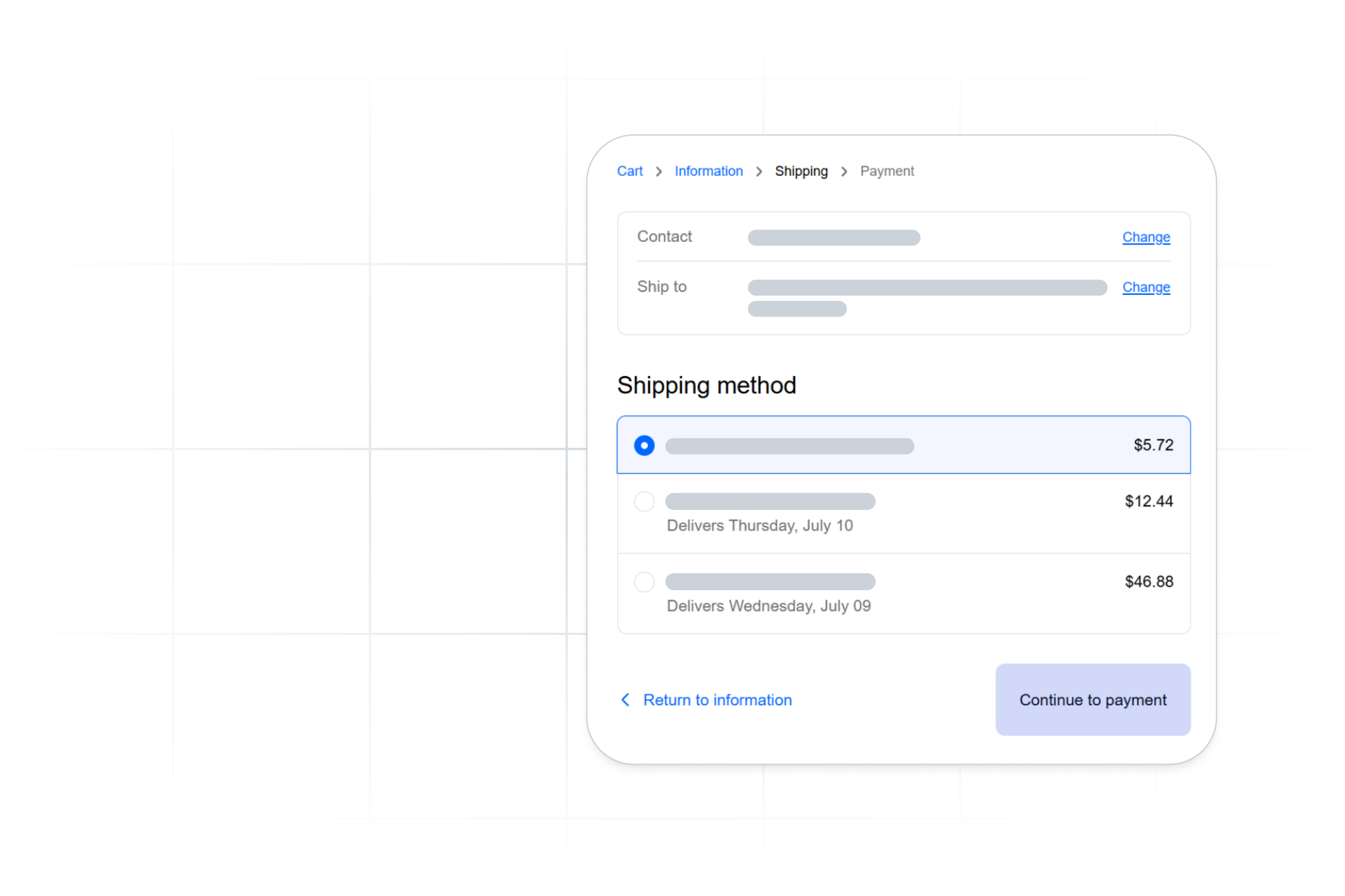
Once an order leaves the warehouse, visibility depends on staying connected beyond the dock. Carrier integrations feed shipment events back into the OMS so tracking and status updates sync automatically across sales channels and internal systems. Orders remain aligned with real delivery activity without teams chasing updates across carrier portals or separate integrations.
Returns
Returns often generate the most manual effort. A centralized OMS links each return back to its original order, applies the correct rules, and updates inventory when items arrive. Credits move faster, and restocking remains accurate.
Benefits of using an OMS
When a single system guides how orders move, fulfillment becomes easier to manage and more predictable.
More predictable throughput
Workflows stabilize when fewer steps rely on memory or individual expertise. Teams move more orders with less friction, especially during high-volume periods.
Fewer preventable errors
Validation checks and structured paths prevent mistakes such as routing to the wrong warehouse, using invalid addresses, missing items, or overlooking handling instructions. Each avoided error protects margins and keeps the customer experience steady.
Clearer customer communication
Consistent updates help customers understand what is happening with their order. Even when shipping delays occur, early communication reduces uncertainty and support volume.
Growth without process sprawl
New channels, new warehouses, or seasonal spikes become manageable when structure stays consistent—workflows scale without needing to be rebuilt or supported by temporary fixes.
Measuring OMS performance
Most logistics leaders look for measurable results. A well-implemented OMS shows impact across several core metrics.
- Order throughput per labor hour
- Pick and pack accuracy
- Same-day or next-day fulfillment rates
- Perfect order percentage
- Exception frequency
- Cost per order
- SLA adherence
These indicators reveal whether centralization is improving operational performance.
How to choose an order management system
Choosing an order management system is less about finding the most features and more about finding the right fit. The platform you select will shape how orders move, how teams work, and how easily your operation adapts as complexity grows. The most useful evaluation criteria focus on daily execution, long-term flexibility, and how well the system supports change.
Security and governance expectations
Order data includes customer details, shipping destinations, and sometimes regulated product information. For many teams, the first filter is whether a platform aligns with established security standards such as ISO 27001 or SOC 2, and supports HIPAA requirements where healthcare data is involved.
Beyond certifications, governance determines how safely the system operates day to day. Role-based access, audit trails, and controlled workflows reduce risk by defining who can act on sensitive data and how changes are made. A strong OMS treats security as part of normal operations, not a separate layer added later.
Implementation and adoption
Even the right platform can struggle if adoption is rushed or overly complex. Implementation should support phased rollout, starting with core integrations and order intake before layering on routing logic, batching, and exceptions.
It also helps to evaluate who will manage the system once it is live. Teams benefit when routing rules, workflows, and configurations can be adjusted by operations without relying on development resources. The easier it is to adapt the system, the more value it delivers over time.
Daily execution evaluation
Feature lists rarely explain how a system feels in practice. A more reliable approach is to picture a high-volume day and trace how work moves through the platform.
Can teams adjust rules without outside help? Does batch processing hold up during peak periods? Are exceptions easy to spot and resolve? Does the system stay responsive as new channels or locations are added? These questions reveal whether the OMS will support execution or create friction when pressure increases.
Operating model alignment
The right OMS should work across a range of fulfillment models, even if your operation only uses one today. Direct-to-consumer brands rely on consistency as channels multiply. 3PLs depend on flexible profiles to support multiple clients without rebuilding workflows. Regulated shippers need rules that guide compliance steps automatically. Multi-warehouse retailers require shared logic to balance orders across locations without slowing delivery.
A platform that supports these patterns without forcing structural changes is more likely to scale alongside your business.
Bringing structure back to fulfillment
A unified OMS steadies the work beneath every order. It replaces guesswork with structure, aligns teams around the same data, and makes growth easier to manage. When one system replaces several scattered tools, fulfillment becomes more predictable for operators and more reliable for customers.
ShipWise approaches order management as part of a broader shipping and fulfillment platform. Orders, routing logic, packing decisions, label creation, and tracking events move through the same system, reducing handoffs and keeping execution consistent as volume and complexity increase.
That structure helps teams move forward without rebuilding their operation every time something changes. The result is not fewer decisions, but better ones made earlier in the process.

.svg)
.svg)
.svg)
.avif)


.avif)