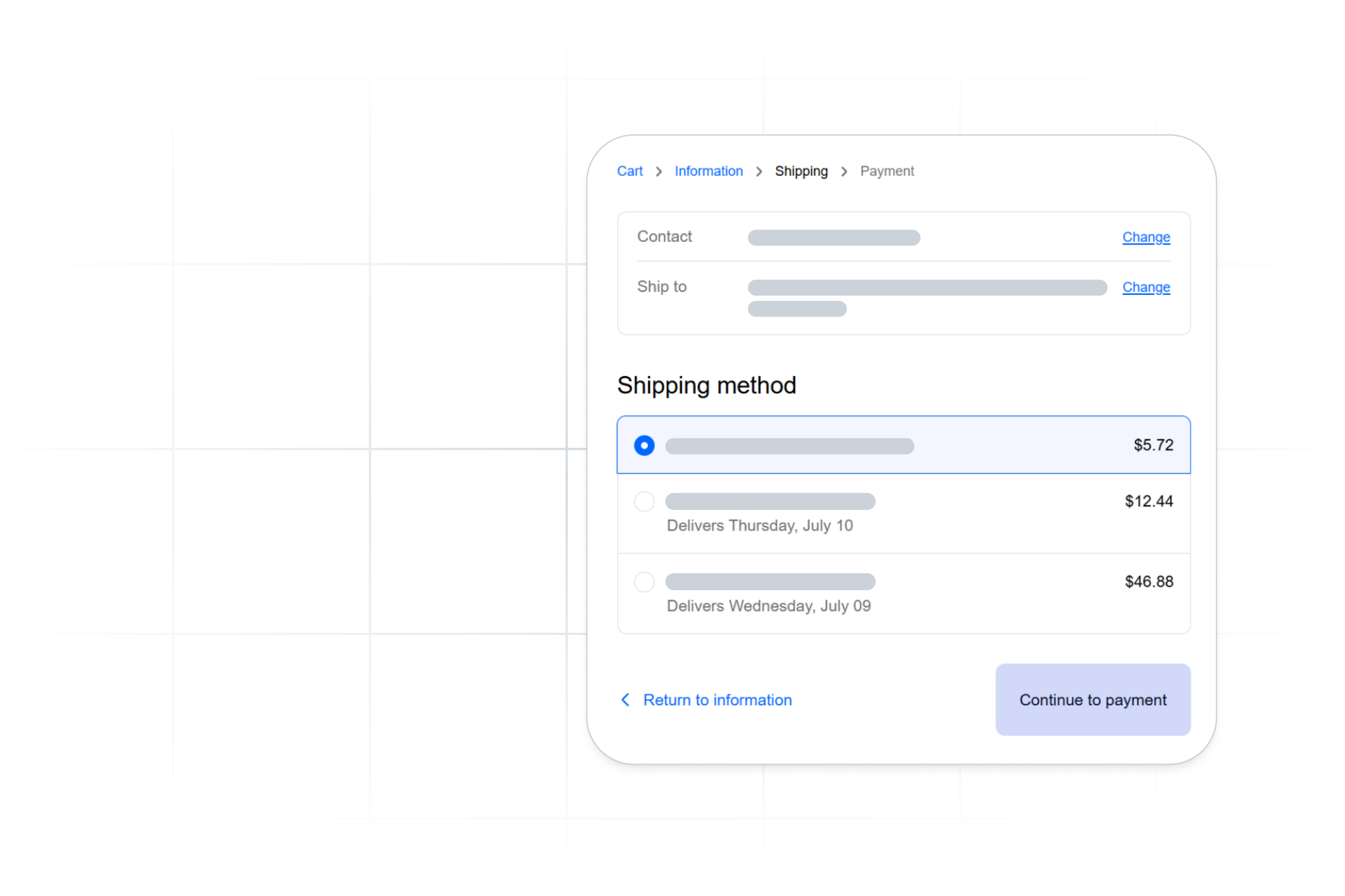
Shipping is the last number a shopper sees before they decide to buy, and it’s often the one that makes or breaks the sale. Yet most checkouts still quote it from a static table: a flat rate or rough weight tier set weeks ago and applied to a cart it was never calculated for. Price it too high and the shopper leaves; price it too low and you absorb the difference on every order.
Live rates at checkout replace the guess with real carrier rates, pulled in real time for the actual cart, marked up to your margin and shown under your own service names while the shopper is still deciding. Here’s what that means, why the shipping number carries more weight than it looks, how it lightens the load on your fulfillment floor, and what it takes to add it to your store.
Live rates vs. static shipping tables
Static tables stick around because they’re simple. Set a flat rate or a few weight tiers once and you never touch it again. The cost shows up later, in accuracy.
Here’s what that real-time call actually does. When a shopper reaches the shipping step, the system queries each carrier service you have connected, gets back current rates for that exact cart, applies your markup rules, and presents the options under your own service-group names. The shopper sees "Standard (3to 5 days)" and "Express (next day)" at prices that reflect what the shipment will actually cost, not a number you hoped would average out.
The difference is who carries the risk of being wrong. With a static table, that’s you, on every single order. A live rate mitigates that risk with a number that’s actually correct for the shipment.
Why the shipping number decides the sale
Start with how people buy. Shoppers do not commit at the product page. They build a cart, reach checkout, see the shipping line, and then decide whether the total is worth it, often by comparing against other tabs already open. Shipping cost is one of the most common reasons a cart gets abandoned, and a large share of shoppers walk specifically because shipping was too high or only appeared at the last step. The shipping number is often the deciding number.
This creates three problems static rates can't solve.
1. You lose sales to surprise.
A shopper who has decided to buy hits an inflated or unexpected shipping cost and reconsiders the whole purchase. The cost itself matters less than the surprise.A real number shown early reads as fair. A number that jumps at the final stepreads as a bait and switch, and you lose the order and the trust at the same time.
2. You lose margin to bad guesses.
A flat fee can’t see the order of its pricing. When dimensional weight or a zone surcharge pushes the real cost above your number, you absorb the gap, and it’s widest on exactly the orders you’d most want to protect. Set the fee high enough to cover that and you overcharge everything else, which quietly suppresses conversion.
3. You lose the comparison.
Your shopper has competitors' checkouts open in other tabs. If a comparable brand shows an accurate, reasonable shipping cost and yours shows a padded flat rate, the accurate one wins, even when your underlying carrier cost is lower. Showing real rates lets you compete on the truth instead of on whoever guessed closest.
There is a competitive angle worth naming directly. Transparent, accurate shipping at check out has quietly become an expectation set by the largest retailers. When a shopper can see exact delivery options and costs everywhere else they shop, a vague flat rate signals a smaller, less trustworthy operation. Live rates close that gap without requiring you to subsidize shipping the way the giants do.
Pro tip: size the box first
The live rate is only as accurate as the package it is calculated for. Quote a rate against a guessed box and you have just moved the inaccuracy one step earlier. The carrier still bills you for the real dimensions later, and dimensional weight charges land on your invoice after the shopper has already paid the lower number.
This is why cartonization belongs in the same step. ShipWise sizes the right box for each order first, based on the actual items in the cart, then quotes the rate against those real dimensions. The shopper sees a number that holds up when the package ships. No surprise DIM charges eating your margin after the fact.
ShipWise can size the box with preset rules, with a cartonization algorithm, or with both working together. Preset rules apply first, then cartonization catches whatever is left.
Preset packing automation rules
For your highest-volume or most predictable orders, you map the box once. Preset rules apply first, so anything matching a rule you’ve configured uses the packaging you assigned, no calculation needed. They also double as an override: when you’re running cartonization, a preset rule lets you force specific shipment types onto a set box instead of the algorithm’s pick. And you don't have to build every rule by hand. You can save the parameters from an existing shipment as a new preset rule.
Cartonization algorithm
Cartonization catches everything a preset rule doesn’t. As long as an item has a valid weight and package dimensions exist, the algorithm calculates the optimal box for that exact mix of items. This handles the long tail of orders you never explicitly configured.
Manual packing, as a fallback
If an item is missing a valid weight, or no package dimensions exist, ShipWise flags the order to be packed by hand instead of guessing. It’s the safety net, and it points to the data worth filling in so more orders qualify for automation over time.
Fewer decisions on the fulfillment floor
A typical fulfillment sequence runs long: pull the order, pick the item, scan it in, verify the address, figure out packaging, pack the box, rate the shipment, print the label, ship. Live Rates at Checkout, especially when paired with Cartonization, removes several of those decision points before the order ever reaches your floor.
The shopper selected a rate. Your shipper isn’t rating the order. Cartonization already determined the right box. What’s left is execution: pick, scan, pack,print, ship. For high-volume operations, fewer decisions per order means faster throughput and a fulfillment floor that scales with volume instead of headcount.
How to turn on live rates at checkout
Adding live rates to any checkout comes down to one of two approaches: a prebuilt app or connector your platform already supports, or a direct API integration you wire in yourself. ShipWise offers both.
Shopify: native support
If you run on Shopify, setup happens through the ShipWise integration with no custom development on your end. Our account managers and implementation team handle the configuration and testing to make sure rates display correctly before anything goes live.
Everything else: ShipWise API
Through the ShipWise API, you can add live rates to any checkout you operate, including BigCommerce, Magento, WooCommerce, a custom storefront, a headless setup, or any platform without a prebuilt connector. When a shopper reaches the shipping step, your checkout sends the cart contents to the API, ShipWise sizes the box, queries your connected carriers, applies your markup rules, and returns the rate options to display. When checkout is complete, the rate is locked in, and the customer receives tracking information.
Your developers wire it in once. After that, your operations team controls the rules, not a development queue.
Whichever path you take, the same controls apply:
- Your markup, your numbers. Apply markup rules to every rate so the price the shopper sees reflects what you want to charge, not raw carrier cost. You set the margin; the system does the math on every order.
- Your service names. Present options under your own service groups ("Standard," "Express," "Economy") instead of raw carrier product names, so checkout reads cleanly and stays on brand.
- Automatic free-shipping thresholds. Trigger free shipping when the cart crosses an amount you choose, calculated against the real rate so you know exactly what each free-shipping order costs you.
- Per client, for 3PLs. With per-client profiles, every brand you ship for keeps its own rates, service names, and rules. One platform, clean separation, no cross-contamination of pricing between clients.
The whole exchange happens in seconds, so the shopper never waits on it.
What live rates at checkout get you
Static shipping rates just don’t compete. Live rates at checkout arm you with a real number you control, sized to the actual box, marked up to your margin, shown under your own service names while the shopper is still deciding. On Shopify, setup is handled through the native integration. For everything else, use the ShipWise API. Your shoppers see transparent shipping prices. You control every number behind them.
Ready to add live rates to your Shopify store? Learn more about the ShipWise Shopify integration →


.svg)
.svg)
.svg)
.avif)
.avif)

